
 Piano Fingering Studio · For MuseScore 4
Never start fingering a piano score from scratch again.

MuseScore Studio 4.7.5 · MuseHub account required.
See the workflow
Add piano fingerings faster, directly in MuseScore.
From a selected passage to an editable first draft in seconds.
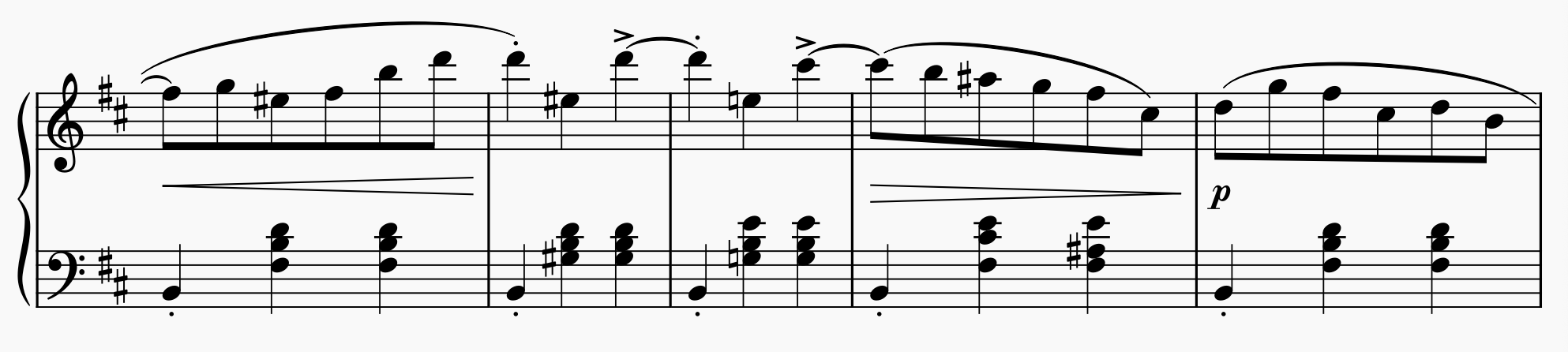
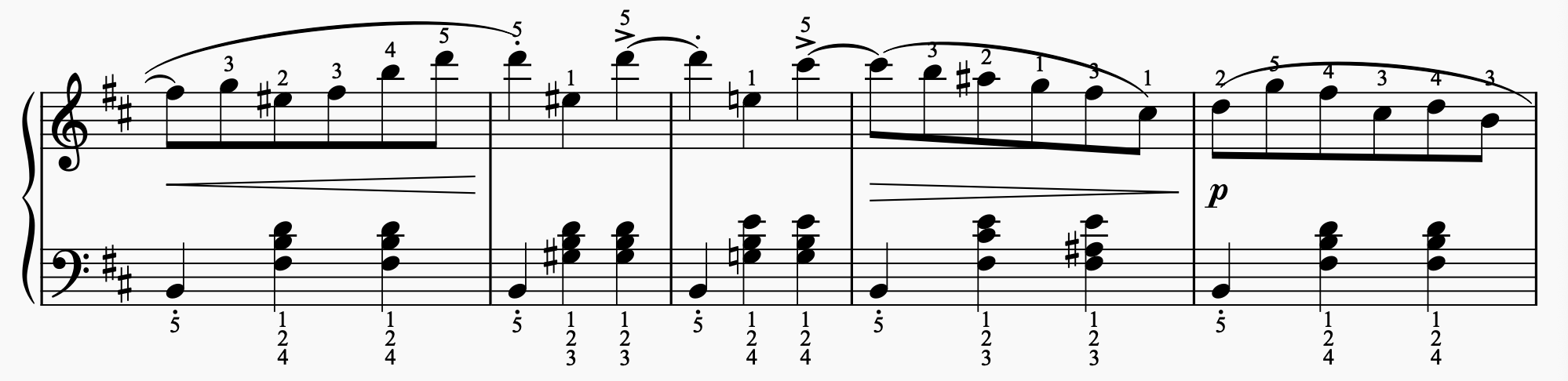
A piano passage before and after adding fingerings with Piano Fingering Studio. Every number remains editable in MuseScore.
Swipe or use the arrow keys to view the full passage.
See Piano Fingering Studio in action.
40-second overviewA starting point, in your hands
Automatic piano fingering for MuseScore.
A MuseScore fingering tool for preparing your own scores, teaching, and publishing. Start with suggestions. Finish with your judgment.
Fit the player.
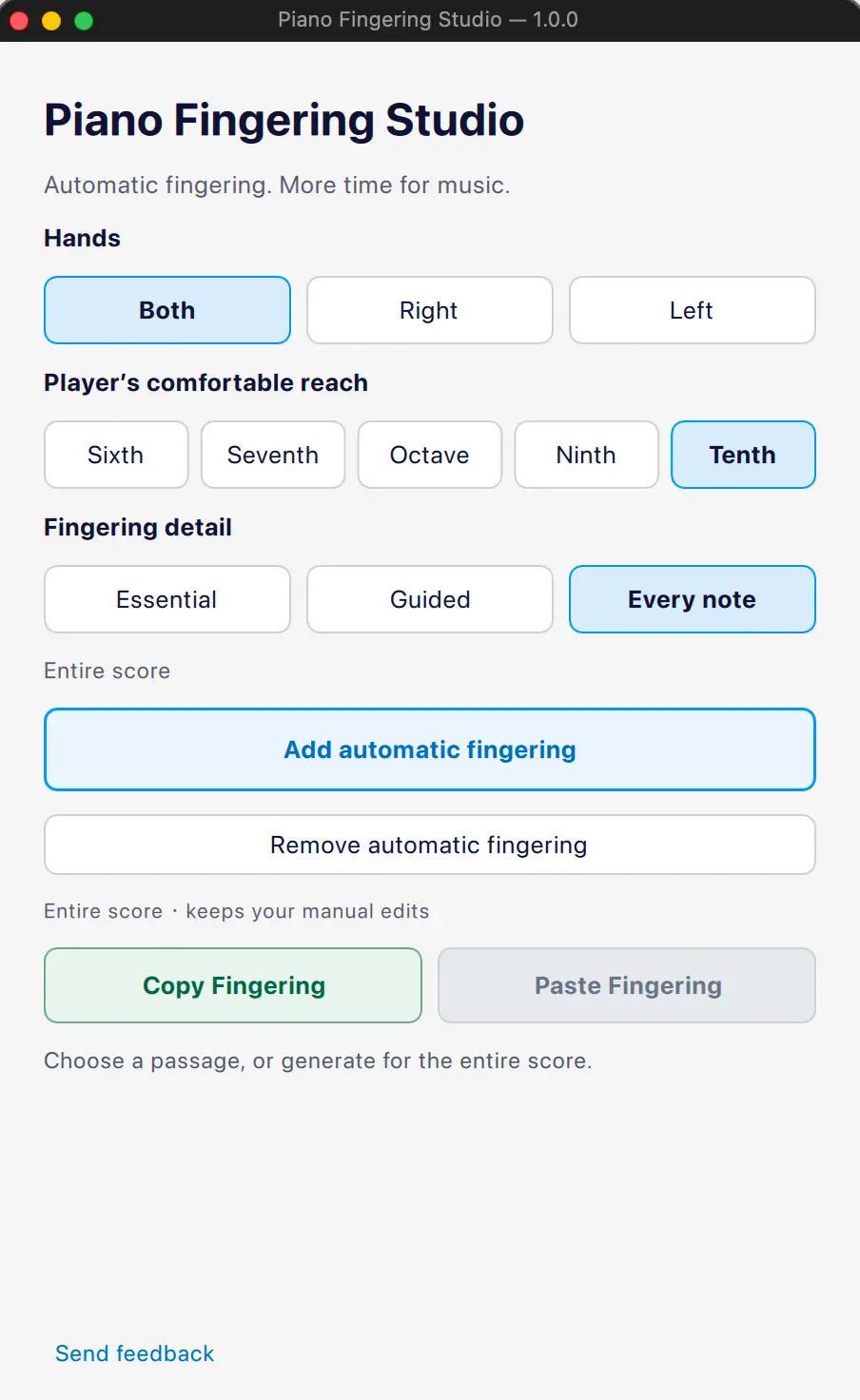
Choose left, right, or both hands. Set a comfortable reach and the amount of fingering detail. Spot stretches that may need attention.
Keep every note editable.
Fingerings stay native to MuseScore. Refine the suggestions in your score, with your existing manual fingerings protected by default.
Make corrections once.
Copy reviewed fingerings to matching passages in the same score. Keep your musical decisions consistent without re-entering every number.
Good to know
Before your
first score.
How do I add piano fingerings in MuseScore 4?
Open your score in MuseScore Studio and choose a passage or the whole score. In Piano Fingering Studio, select the hands, comfortable reach, and detail level, then add automatic fingering. Review and edit the results directly in your score.
Which computers and MuseScore versions are supported?
Piano Fingering Studio is available for macOS (Apple Silicon) and Windows (x64), with MuseScore Studio 4.7.5. A MuseHub account is required. Download the version for your computer through MuseHub.
What does the 3-day free trial include?
Every feature is available for three days. A one-time purchase then gives you lifetime access to the current major version. Your existing scores and fingerings remain editable in MuseScore even after the trial ends.
How much does it cost? Is it a subscription?
$39.99 USD for lifetime access to the current major version. Pay once, with no subscription.
Will it overwrite my manual fingerings or upload my scores?
Existing manual fingerings are protected by default. Fingering calculations happen locally on your computer. For setup and usage details, read the user guide.
Start with a first draft.
Make it your own.
$39.99 · Lifetime access · 3-day free trial